

Not sure if your PC problem is hardware or software? A one-tech approach looks at the whole system, protects your data first, and fixes issues in a safe, step-by-step way—without confusing handoffs.

PC Runs Computer Basics
Thank You

Thank You — You’re in the Right Place Thanks for subscribing to PCRuns.com. If your computer has been slowing down, acting strange, or just not keeping up anymore, you’re not alone—and you don’t have to figure it out on your own. What Happens Next Most people who reach out are dealing with one of […]
Peace of Mind Tech

{ “title”: “Peace of Mind Tech: A Practical Windows Routine That Keeps You Secure (Without Overthinking It)”, “slug”: “peace-of-mind-tech-windows-routine”, “content_html”: ““Peace of mind tech” isn’t about buying the newest gadget…
Windows Startup Programs: How to Disable Apps Safely for Faster Boot

Speed up Windows boot time by safely disabling non-essential startup apps. Learn what to keep enabled, what’s usually safe to turn off, and how to undo changes in Task Manager or Settings.
New Year, Faster PC: Schedule Your Winter Maintenance & System Cleanup Today
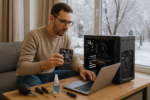
Give your PC a fresh start this winter with a simple, safe maintenance routine: updates, storage cleanup, startup trimming, and a quick security check. A focused 45–60 minute checklist can help Windows feel smoother without risky “optimizer” tools.
A Simple Preventative Maintenance Routine for Your Windows PC (Monthly + Quarterly)

A calm, repeatable Windows preventative maintenance routine: what to do monthly and quarterly to keep updates, storage, backups, and security in good shape—without risky “optimizer” tools.
Windows Event Viewer: How to Read Errors Without Panicking

Event Viewer is full of errors on almost every PC. Learn which ones matter, how to filter by time and symptom, and how to turn scary-looking logs into practical next steps.
Avoid the Deep Freeze: Essential Winter Computer Care & Repair

Winter computer issues usually come from condensation, dry air static, and blocked airflow—not the cold itself. Use this simple checklist to protect your laptop or desktop and fix common cold-weather problems safely.
The Art of the Crash: Why Your Computer Freezes (and How to Stop It)

Computer freezes usually come from overloaded resources, storage slowdowns, overheating, or driver issues. Learn safe steps to recover, what to check in Task Manager, and simple habits that reduce crashes over time.
Why Is My Laptop Overheating? Tips for Better Performance and Longevity

Overheating laptops are often caused by dust, blocked vents, soft surfaces, or heavy background apps. Learn safe, simple steps to reduce heat, improve performance, and know when it’s time for professional help.
- 1
- 2
- 3
- …
- 29
- Next Page »














