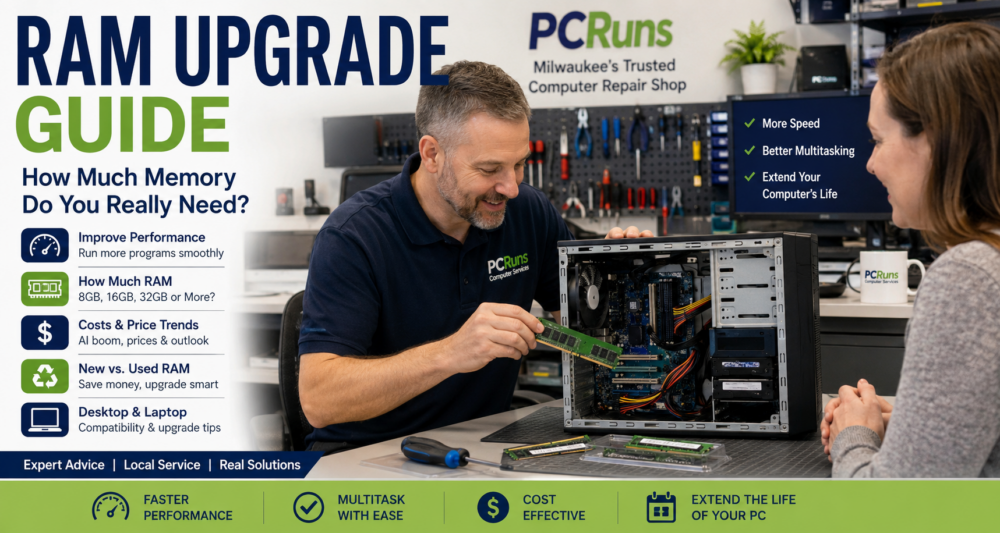
Many people assume a slow computer means they need a new computer. In reality, one of the most common causes of sluggish performance is simply not having enough RAM (memory) available for the tasks you are trying to do.
If your computer freezes when multiple browser tabs are open, struggles during video calls, or slows to a crawl when switching between programs, a RAM upgrade may be one of the most affordable ways to improve performance. Before spending hundreds or even thousands on a replacement computer, it is worth understanding whether adding memory could solve the problem.
This guide explains how RAM works, how much memory most people actually need, when an upgrade makes sense, and what to expect from RAM prices in the years ahead.
Table of Contents
- What Is RAM?
- How RAM Affects Computer Performance
- Signs You Need More RAM
- How Much RAM Do You Need?
- Will More RAM Make Your Computer Faster?
- RAM Upgrade vs SSD Upgrade
- Desktop vs Laptop RAM
- DDR3 vs DDR4 vs DDR5 Explained
- Can Your Computer Be Upgraded?
- Common RAM Upgrade Mistakes
- RAM Upgrade Costs
- Buying Used RAM
- RAM Prices and the AI Boom
- Future Outlook for Home Computer Owners
- Frequently Asked Questions
What Is RAM?
RAM stands for Random Access Memory.
Think of RAM as your computer’s temporary workspace.
Your storage drive (SSD or hard drive) stores your files permanently. RAM is where Windows and your programs work while they are running.
A simple analogy:
- Storage drive = filing cabinet
- RAM = desk space
A larger desk allows you to spread out more projects at once. A larger amount of RAM allows your computer to handle more tasks simultaneously without slowing down.
When RAM becomes full, Windows starts moving data back and forth between memory and storage. This process is much slower and often causes noticeable delays.
How RAM Affects Computer Performance
RAM affects how smoothly your computer handles multiple tasks.
More RAM allows you to:
- Open more browser tabs
- Run multiple programs simultaneously
- Edit large files
- Participate in video meetings
- Work with large spreadsheets
- Use modern applications more comfortably
RAM does not directly make the processor faster, but it helps prevent slowdowns caused by memory shortages.
For many users, the difference between 8GB and 16GB is immediately noticeable.
Signs You Need More RAM
Your Computer Freezes Frequently
If the mouse pauses, programs stop responding, or Windows feels sluggish, insufficient memory may be contributing to the problem.
Browser Tabs Slow Everything Down
Modern websites use significantly more memory than they did just a few years ago.
Opening:
- Gmail
- YouTube
- Online banking
- Shopping sites
can quickly consume several gigabytes of RAM.
Programs Take Forever to Switch Between
When memory is exhausted, Windows must constantly move data between RAM and storage.
This causes delays when changing tasks.
High Memory Usage in Task Manager
Open Task Manager and look at Memory usage.
If usage is consistently above 80% during normal work, a RAM upgrade may help.
Windows 11 Feels Sluggish
Windows 11 generally benefits from having at least 16GB of RAM for a comfortable everyday experience.
How Much RAM Do You Need?
8GB RAM
Suitable for:
- Basic web browsing
- Streaming video
- Microsoft Office
- Light home use
Limitations:
- Heavy multitasking
- Many browser tabs
- Advanced applications
8GB is becoming the practical minimum for modern Windows computers.
16GB RAM
Recommended for most people.
Ideal for:
- Students
- Home users
- Small businesses
- Remote workers
- Windows 11 systems
For most PCRuns customers, 16GB provides the best balance of cost and performance.
32GB RAM
Best for:
- Photo editing
- Video editing
- CAD software
- Large spreadsheets
- Content creation
Power users often benefit from 32GB.
64GB RAM and Beyond
Typically used for:
- Engineering applications
- Virtual machines
- AI development
- Scientific workloads
- Professional production environments
Most home users will never need this much memory.
Will More RAM Make Your Computer Faster?
Sometimes yes.
Sometimes no.
RAM Helps When
- Memory usage is consistently high
- Multiple programs are open
- The system frequently freezes
- Windows feels slow during multitasking
RAM Will Not Fix
- Failing hard drives
- Malware infections
- Overheating
- Aging processors
- Software corruption
A proper diagnosis is important before purchasing upgrades.
RAM Upgrade vs SSD Upgrade
This is one of the most common questions we receive.
Upgrade RAM First If
- Memory usage regularly exceeds 80%
- Applications close unexpectedly
- Multitasking causes slowdowns
Upgrade SSD First If
- The computer still uses a mechanical hard drive
- Boot times exceed several minutes
- Programs take a long time to open
In many older computers, replacing a hard drive with an SSD produces the largest overall improvement.
Often the best solution is combining:
- SSD upgrade
- RAM upgrade
Together they can dramatically extend the useful life of a computer.
Desktop vs Laptop RAM
Desktop RAM
Desktop systems generally use larger memory modules called DIMMs.
Benefits:
- Easier upgrades
- More expansion options
- Higher maximum capacities
Laptop RAM
Most laptops use smaller modules called SO-DIMMs.
Some laptops allow upgrades while others have memory permanently attached to the motherboard.
Always verify upgradeability before purchasing memory.
DDR3 vs DDR4 vs DDR5 Explained
DDR3
Common in older systems.
Usually found in computers manufactured before approximately 2016.
DDR4
The most common memory type currently in use.
Offers excellent performance and value.
DDR5
Newest mainstream generation.
Benefits include:
- Higher speeds
- Better efficiency
- Improved future compatibility
However, DDR5 systems generally cost more than DDR4 systems.
Memory generations are not interchangeable.
DDR3, DDR4, and DDR5 each require specific motherboard support.
Can Your Computer Be Upgraded?
Not every computer supports RAM upgrades.
Factors include:
Available Memory Slots
Some systems have unused slots available.
Others already use every slot.
Maximum Supported Capacity
Motherboards have limits.
Examples:
- 16GB maximum
- 32GB maximum
- 64GB maximum
Soldered Memory
Many thin laptops have memory permanently attached.
These systems cannot be upgraded.
BIOS Limitations
Some older systems may not support larger memory capacities even when physically installed.
Common RAM Upgrade Mistakes
Buying the Wrong DDR Generation
Always verify whether your computer uses DDR3, DDR4, or DDR5.
Mixing Incompatible Modules
Different speeds and capacities can sometimes create instability.
Purchasing More Memory Than Supported
Check motherboard specifications first.
Improper Installation
Memory must be fully seated into the slot.
Ignoring Other Bottlenecks
More RAM will not solve every performance issue.
A complete system evaluation often prevents wasted money.
How Much Does a RAM Upgrade Cost?
Prices fluctuate regularly.
Typical memory-only costs:
| Upgrade | Approximate Cost |
|---|---|
| 8GB DDR4 | $25-$50 |
| 16GB DDR4 | $40-$90 |
| 32GB DDR4 | $70-$180 |
| 16GB DDR5 | $60-$140 |
| 32GB DDR5 | $100-$3000 |
Professional installation costs vary depending on system complexity and diagnostic requirements.
Money-Saving Tip: Many PCRuns customers can save 30% to 70% by purchasing tested used DDR3 or DDR4 memory rather than buying new modules. For older computers, used RAM often provides the best value.
Buying Used RAM: A Smart Way to Save Money
Many people assume they must purchase brand-new memory when upgrading a computer. In reality, used RAM can often provide excellent value, especially for older systems.
For technicians and budget-conscious computer owners, purchasing quality used RAM is frequently one of the most cost-effective upgrades available.
Why Consider Used RAM?
RAM has no moving parts.
Unlike hard drives, RAM typically either works correctly or it does not. Because of this, memory modules often remain reliable for many years.
It is common to find perfectly functional used RAM removed from:
- Business computers being upgraded
- Corporate lease returns
- Refurbished systems
- Computer recycling programs
- Older gaming computers
When Used RAM Makes the Most Sense
Used RAM is often an excellent choice for:
- Older DDR3 systems
- Older DDR4 systems
- Budget computers
- School computers
- Secondary household computers
In many cases, spending $20-$40 on used RAM can add several years of useful life to an older machine.
Where to Buy Used RAM
Common sources include:
- eBay
- Facebook Marketplace
- Local computer shops
- Refurbished computer dealers
- Computer recyclers
When possible, purchase from sellers with strong ratings and clear return policies.
What to Watch Out For
Before purchasing used RAM:
- Verify the correct DDR generation (DDR3, DDR4, or DDR5)
- Verify laptop versus desktop compatibility
- Check module capacity and speed
- Confirm the seller offers returns if possible
Is Used RAM Safe?
For many upgrades, yes.
Professional refurbishers and repair shops routinely use tested used memory to keep upgrade costs affordable for customers.
As long as compatibility is verified and the memory has been properly tested, used RAM can be an excellent value.
Used RAM and Today’s Market
Recent increases in memory prices have caused many computer owners to look more seriously at used RAM options.
For older DDR3 and DDR4 systems, purchasing quality used memory can often reduce upgrade costs significantly while delivering nearly identical real-world performance compared to buying new modules.
RAM Prices and the AI Boom
Many people have noticed memory prices rising after several years of unusually low costs.
One reason is the rapid growth of artificial intelligence infrastructure.
Large AI systems require enormous amounts of memory in data centers.
Manufacturers are investing heavily in high-performance memory technologies used by AI servers because demand is strong and profit margins are attractive.
As production shifts toward enterprise products, consumer memory markets can experience supply pressures that influence pricing.
However, memory pricing has always been cyclical.
Historically, the industry experiences:
- Shortages
- Price increases
- Increased manufacturing
- Oversupply
- Price declines
These cycles have repeated for decades.
Why AI Is Affecting Consumer RAM Prices
Many people hear about expensive AI graphics cards but do not realize that memory is also a major part of the equation.
Modern AI datacenters require enormous amounts of high-performance memory to train and run advanced AI systems. As demand for AI infrastructure has increased, memory manufacturers have invested heavily in producing the types of memory used in enterprise servers and AI hardware.
When manufacturers shift production toward higher-profit enterprise products, consumer memory supplies can become tighter. This can contribute to higher prices for desktop and laptop RAM.
However, memory pricing has historically been cyclical. Periods of rising prices are often followed by increased manufacturing capacity, greater supply, and eventually more competitive pricing.
While AI demand is likely to remain strong for years to come, history suggests that consumer RAM prices will continue to experience periods of both increases and declines rather than rising indefinitely.
The good news for many PCRuns customers is that quality used DDR3 and DDR4 memory remains widely available. For older systems, purchasing tested used RAM can often provide the best balance of performance and value while waiting for new memory prices to become more affordable.
Future Outlook for Home Computer Owners
There is understandable concern about growing dependence on cloud services, subscriptions, and centralized computing.
At the same time, personal computers remain extremely important because they provide:
- Local control
- Privacy
- Offline access
- Gaming capability
- Professional productivity
While many services are moving online, there is still strong demand for personal ownership of computers.
What We Expect
Over the next several years:
- DDR5 prices should gradually become more affordable
- 16GB will become the new standard minimum recommendation
- 32GB will become increasingly common
- Local AI applications may increase memory requirements
- Upgrading existing computers will remain one of the most cost-effective ways to extend their lifespan
Historically, RAM prices have never stayed permanently high. While short-term increases are possible, expanded production eventually tends to stabilize pricing.
Frequently Asked Questions
How do I know if I need more RAM?
If your computer slows down when several programs are open, freezes during normal use, or shows high memory usage in Task Manager, more RAM may help.
Is 8GB RAM enough for Windows 11?
8GB can work for basic use, but 16GB is usually a better choice for smoother everyday performance, especially with Windows 11.
Will adding RAM make my computer boot faster?
Usually not. Slow startup is more often caused by an older hard drive, too many startup programs, or system problems. An SSD upgrade usually helps boot speed more than RAM.
Should I upgrade RAM or replace my computer?
If the computer is otherwise reliable, a RAM upgrade may extend its life for much less than replacement. If the computer has major hardware problems, severe age limitations, or cannot run modern software safely, replacement may make more sense.
Should I upgrade RAM or install an SSD first?
If your computer still has a mechanical hard drive, an SSD upgrade often gives the biggest improvement. If it already has an SSD but slows down when multitasking, RAM may be the better next upgrade.
Can all laptops be upgraded?
No. Some laptops have upgradeable memory slots, while others have memory permanently soldered to the motherboard. It is best to check before buying RAM.
Is used RAM safe to buy?
Used RAM can be a good value when it is compatible and properly tested. This is especially true for older DDR3 and DDR4 systems where new memory may cost more than the computer is worth upgrading.
Can I mix different RAM brands?
Sometimes, but it is not always ideal. Matching capacity, speed, and type gives the best chance of stability. When possible, matched pairs are preferred.
What happens if I buy the wrong RAM?
The computer may not start, may beep, or may simply fail to recognize the memory. DDR3, DDR4, and DDR5 are not interchangeable.
Will RAM prices come down again?
Memory prices usually move in cycles. AI demand has helped push prices higher, but historically increased production eventually leads to more stable pricing.
How much RAM do most people need today?
For most home, school, and small business users, 16GB is the practical sweet spot. Power users may benefit from 32GB, while basic users may still get by with 8GB.
Can PCRuns check whether my computer can be upgraded?
Yes. PCRuns can check your current memory, available slots, maximum supported RAM, and whether an upgrade makes sense before you spend money on parts.
Get an Honest Opinion Before Spending Money
A slow computer does not automatically mean you need a new computer.
In many cases, a RAM upgrade, SSD upgrade, or combination of both can significantly improve performance at a fraction of the cost of replacement.
If you’re unsure whether an upgrade makes sense, PCRuns can help evaluate your system and provide honest recommendations based on performance, reliability, and overall value.
No pressure. No obligation. Just practical advice to help you make the right decision.
Contact PCRuns or
Call and/or text PCRuns
to schedule a free evaluation.