Have you accidentally deleted an important document, family photo, or work file? It can be a sinking feeling, especially if you think it’s gone forever. The good news is that many deleted files can be recovered—if you take the right steps and avoid making the problem worse.
This guide explains what happens when a file is deleted, what you should do immediately, and the safest ways to improve your chances of getting your files back.
Quick Summary
- Stop using the drive if the deleted files are important.
- Check the Recycle Bin first.
- Look for cloud recycle bins if you use OneDrive, Google Drive, or Dropbox.
- Don’t install recovery software on the same drive you’re trying to recover from.
- The sooner you act, the better your chances of recovery.
What Happens When You Delete a File?
Deleting a file doesn’t always erase it immediately.
In many cases, Windows simply removes the file’s entry from its index and marks the storage space as available for new data. Until that space is overwritten, there’s often a chance the file can still be recovered.
That’s why acting quickly is so important.
The more you continue using the computer—saving files, installing programs, or downloading updates—the greater the chance that the deleted file’s storage space will be overwritten.
Step 1: Check the Recycle Bin
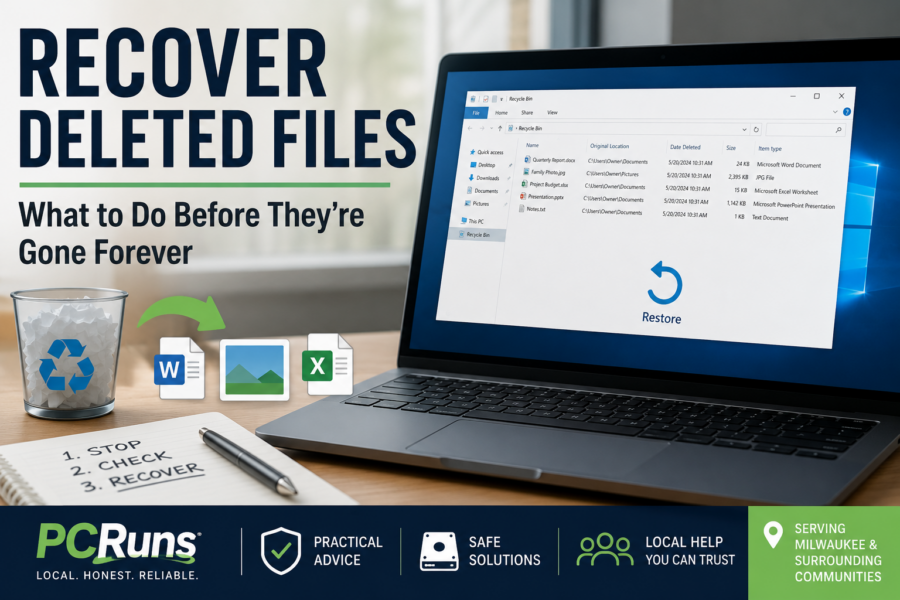
It may sound obvious, but the Recycle Bin is still the first place to look.
If the file is there:
- Open the Recycle Bin.
- Locate the file or folder.
- Right-click it.
- Choose Restore.
Windows will return it to its original location.
Many people are surprised to discover their “lost” file was simply sitting in the Recycle Bin.
Step 2: Check Your Cloud Recycle Bin
If you use a cloud storage service, the deleted file may still be recoverable.
Depending on the service, check:
- Microsoft OneDrive Recycle Bin
- Google Drive Trash
- Dropbox Deleted Files
- Synology Drive Recycle Bin (if enabled)
Many cloud providers keep deleted files for a limited time before permanently removing them.
Related Guide: Recovering Files from Microsoft OneDrive (Coming Soon)
Step 3: Stop Using the Drive
If the file isn’t in the Recycle Bin, resist the temptation to keep using the computer normally.
Every new file written to the drive could overwrite the deleted data.
Avoid:
- Installing recovery software on the same drive.
- Downloading large files.
- Copying videos or photos.
- Running unnecessary updates.
If the deleted files are especially valuable, shutting down the computer until you have a recovery plan may be the safest choice.
Step 4: Consider Recovery Software
If the file has not been overwritten, recovery software may be able to locate and restore it.
Many recovery programs scan the drive for deleted file entries and attempt to rebuild them.
Results depend on:
- How long ago the file was deleted.
- Whether the storage space has been overwritten.
- The type of storage device.
- The condition of the drive.
No recovery program can guarantee success, but acting quickly improves the odds.
SSDs and Deleted Files
If your computer uses a modern Solid-State Drive (SSD), recovery can be more difficult.
Many SSDs use a feature called TRIM, which helps maintain performance by preparing deleted storage space for reuse.
Once TRIM has processed deleted data, recovery may no longer be possible.
That doesn’t mean every deleted SSD file is permanently gone—but it does make early action even more important.
What If the File Is Really Important?
If the deleted files include irreplaceable family photos, business records, legal documents, or years of personal work, proceed carefully.
Repeated recovery attempts, unnecessary software installations, or continued use of the drive can reduce the chances of successful recovery.
Sometimes the safest decision is to stop and evaluate your options before making changes.
Common Mistakes to Avoid
Many unsuccessful recovery attempts happen because people unknowingly make the situation worse.
Avoid these common mistakes:
- Continuing to use the computer after deleting important files.
- Installing recovery software on the affected drive.
- Formatting the drive without understanding the consequences.
- Assuming the file is permanently gone without checking cloud recovery options.
- Waiting weeks before attempting recovery.
A calm, methodical approach usually provides the best chance of success.
From the PCRuns Bench
One of the most common calls I receive starts with, “I deleted something important—can you get it back?”
Sometimes the answer is yes.
Other times, the files have already been overwritten because the computer continued to be used for several days after the deletion.
That’s why I always encourage people to stop using the drive if the missing files are truly important. A few minutes of caution can make a significant difference.
Related Guides
You may also find these guides helpful:
- Data Recovery and Backup
- Recovering Files from Microsoft OneDrive (Coming Soon)
- Recovering Files from a Computer That Won’t Start (Coming Soon)
- Recovering Data from a Failing Hard Drive (Coming Soon)
- Recovering Files from External Hard Drives (Coming Soon)
Frequently Asked Questions About Recovering Deleted Files
These quick answers cover some of the most common concerns people have after accidentally deleting important documents, photos, or other files.
Can deleted files really be recovered?
Yes, deleted files can often be recovered if the storage space they occupied has not been overwritten. Your chances are usually better when you stop using the computer or drive immediately after discovering that the files are missing.
Are files permanently deleted when I empty the Recycle Bin?
Not necessarily. Emptying the Recycle Bin removes the normal Windows reference to the file, but some of the file data may remain on the drive until that storage space is reused. Recovery software may still find the file if it has not been overwritten.
What should I do immediately after deleting an important file?
Stop saving files, downloading programs, installing updates, or making other changes to the affected drive. Check the Windows Recycle Bin and any cloud-storage recycle bins first.
If the file is irreplaceable, shutting down the computer until you have a safe recovery plan may provide the best chance of getting it back.
Can I recover a file deleted with Shift + Delete?
Possibly. Using Shift + Delete bypasses the Windows Recycle Bin, but it does not always erase the file data immediately. Recovery may still be possible if that part of the drive has not been overwritten.
Can deleted files be recovered from an SSD?
Sometimes, but recovery from an SSD can be more difficult than recovery from a traditional hard drive. Most modern SSDs use a cleanup feature called TRIM that may remove deleted data quickly.
Stop using the SSD as soon as possible when the missing files are important.
Should I install recovery software on the same computer?
You should not install recovery software on the same drive that contained the deleted files. Installing a new program could overwrite the very information you are trying to recover.
When possible, run the recovery program from another drive and save anything recovered to a separate storage device.
Where should I save recovered files?
Save recovered files to a different drive, such as an external hard drive, USB drive, or another internal storage device.
Do not save them directly back to the drive being scanned. Doing so could overwrite other files that may still be recoverable.
Can deleted OneDrive, Google Drive, Dropbox, or Synology files be recovered?
They often can. OneDrive, Google Drive, Dropbox, and some Synology configurations maintain separate recycle bins or deleted-file areas for a limited period.
Check the service through its website or management interface rather than relying only on the synchronized folder shown on your computer.
How long do deleted files remain recoverable?
There is no guaranteed amount of time. A deleted file might remain recoverable for weeks on a drive that is barely used, or it could be overwritten within minutes on a heavily used computer.
The amount of new information written to the drive matters more than the number of days that have passed.
Can deleted files be recovered after formatting a drive?
Sometimes. Recovery may be possible after a quick format if the original information has not been overwritten. A full format or continued use of the drive can make recovery much more difficult.
Stop using the drive and avoid reformatting it again if the files are important.
When should I stop trying to recover the files myself?
Stop if the drive is clicking, grinding, disconnecting, disappearing from Windows, or showing other signs of physical failure.
You should also pause when the missing files are irreplaceable and you are uncertain about the next step. Repeated scans, repairs, and continued drive use can sometimes reduce the chance of successful recovery.
Does file recovery always work?
No recovery method can guarantee that every deleted file will be restored. Success depends on the type of drive, how the file was deleted, how much the computer has been used afterward, and whether the storage space has been overwritten.
Acting quickly and avoiding unnecessary changes gives you the best chance.
Need Help Recovering Deleted Files?
If you’ve accidentally deleted important files and you’re not sure what to do next, don’t panic. Many recovery situations are more successful when handled early and carefully.
If you’d like an honest opinion before trying anything that could make recovery more difficult, schedule a free evaluation. I’ll assess your situation, explain your options, and help you determine the safest path forward.
No pressure. No obligation. Just practical advice from a local technician serving the Milwaukee area.